Simple, straightforward, and easy to use!
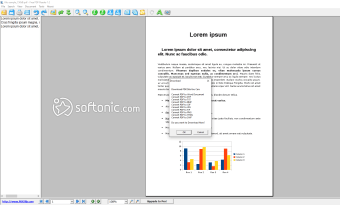
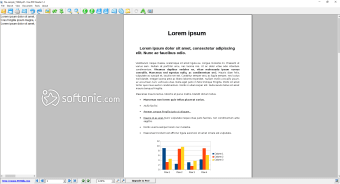
Free PDF Reader is a Windows application for viewing and reading PDF documents. With a simple interface, this program from PDFZilla features a standard explorer frame, making it easier to navigate through settings and options. Though it’s free, the application doesn’t lack any features. It is the best free PDR reader that comes with multi-view mode, text copy converter, page rotation, PDF printing, and page snapshot, which is the key feature of Snapshot, a similar tool. Simply put, it’s at par with leading PDF readers, including Adobe Reader.
Top Recommended Alternative
A good way to read PDF documents with ease!
At times, the developers of a program make it effortless to figure out the functioning of the tool. The name, Free PDF Reader, does the same for PDFZilla’s product. It’s exactly what it claims to be! If you’re looking for a PDF reader download, this one would be a good choice. Since you’d definitely come across Adobe reader free download, here are some reasons to choose this one instead.
Plenty of features for ease-of-use
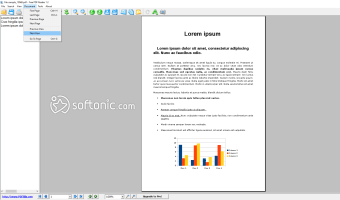
With Free PDF Reader, you can view and read all kinds of PDF files downloaded on your system. The easy interface allows you to navigate seamlessly to reach basic options, such as viewing multiple or single pages at a time, copy and convert text for editing, dragging the page to the center, or navigating from the program’s sidebar.
While working on PDFZilla’s PDF reader for PC, you can use the basic taskbar tabs in Windows or the representative icons in the tool. However, the icons and interface look archaic, making this PDF file reader outdated.
Key features of the program
With a lot of PDF readers available in the market, it can be hard to make a choice. While the simple interface of Free PDF Reader is a blessing, there are other features that make it a worthy candidate.
Shortcomings that need to be addressed
Despite its ease-of-use and simple interface, Free PDF Reader can be improved as a program. Its biggest competition, Adobe, is also a free program, making it tough to beat the tech giant. While Free PDF Reader looks less business-like and intimidating, it’s a good choice for older systems. Programs like Adobe Reader and Nitro PDF Reader can eat up resources, slowing down your PC.
The increasing count of advertisements is another annoying problem. Free PDF Reader keeps promoting other products on the program. As such, the constant interruptions can make you give up on the idea of using Free PDF Reader in the long run. Most of the programs pushed by PDFZilla include PDF editors, file converters, and PDF merger software. While you may be interested in these programs, the advertisements can be invasive and disrupting.
Having said that, Free PDF Reader is still one of the easiest to use, and comes with plenty of features to make viewing, opening, and reading PDF files a breeze. A few advertisements shouldn't hurt your user experience much, and it's not a reason to skip the other benefits offered by this program.
Download Free PDF Reader for its ease-of-use!
Overall, Free PDF Reader is a great application for opening and viewing PDF files. It’s simple to navigate, easy to use, and comes with plenty of features. The only downside is the lack of advanced functionalities. Also, the ads displayed on the program can be disruptive for user experience. Having said that, it’s still worthy of a PDF software download. Just in case you don’t like it, you have the option to download Adobe Reader anyway.
Once you’ve installed Free PDF Reader, it will ask you to make the program your default choice for PDF files. Until you’re sure about the program, it’d be better to not change the settings. When you’re satisfied with the PDF reader free download, just change the settings and make Free PDF Reader your default choice among business and productivity tools for Windows.